


PROBLEM :

SOLUTION:
* I expect that you have installed Avira before following up with this guide.
* You do not have to type the extra "" shown in the instruction.
- At your desktop screen, press "Windows key+R". This will open up Run.
- Type in "regedit" and click "OK". This will open up the Registry window.
- Once the Registry Editor window is open, you would be able to see Computer with 5 root folders namely the HKEY folders shown below.
- First open up the "HKEY_LOCAL_MACHINE" and then the "SOFTWARE" folder. This is where the registry values for your installed application is stored.
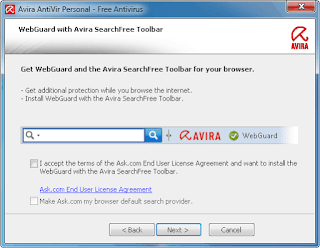
- Alright, so what you are about to do now is to create a registry value to trick Avira into believing that you have actually installed the safe search by AskToolbar. The results will be: You will never ever be prompted to install the safe search feature,no unnecessary toolbar installed and last but not least, Avira's webguard will be enabled all together. Hooray!!! So lets get to work..
- First, create a new folder named "AskToolbar" by right clicking on "SOFTWARE" folder and select new key.
- Then, create a folder named "Macro" inside the AskToolbar by right clicking on AskToolbar folder and select new key. By know you should have come up with something looking like this:
- Now to add the registry value, right click on Macro folder that you have created and create a new String value and name it as "tb"
- Then double click on the tb file to open up an input message box and insert "AVR-W1" into the Value Data text field like shown below:
- Click "OK" and close the Registry Editor window.
- Now go to Uninstall Programs in the Control Panel.
- Look for Avira AntiVir Personal -Free Edition in the Uninstall program list and select it. Note: Please do not uninstall the software, just select it and select "Change" instead of "Uninstall".
- Select "Modify" and click next. You will be prompt with a list of Avira components which have already been selected automatically. Just click next and proceed with the Configuration setup and you are done.


CREDITS:
Raymond from www.raymond.cc


